We are moving on up in the world. We have our own domain name now! And we moved to wordpress. It is easier for us to adjust and play with and I, vwbug, like it more. We have transferred all our old posts over there as well as we have been posting new stuff. Please come join us at the new site.
Please update our link if you have us on your site! And we look forward to seeing you over there!
VWBug and Tink
Friday, July 12, 2013

Thursday, July 11, 2013
Grand Hotel, Point Clear
.jpg) |
| Mired ©Created by Jill; template by fiddle-dee-dee designs; Grand Hotel photographers |
As a wedding present Pan's sister and brother-in-law gave us a three day stay at the Grand Hotel in Point Clear, Alabama. Elegant and decadent doesn't even begin to describe what a wonderful place it is. Something straight of the movies. And with a pool that you can canoe across it was so big.
Again I did not have pictures so had to resort to downloading them from the hotel's website. Just a reminder of how lovely it was.
TIP: Journaling is so important to recording what was going on in your life. Instead of downloading pictures I could have just as easily written a more comprehensive description of the hotel. And if I were a better writer that is what I would have done. Don't be afraid to do pages that have only journaling on them.
TIP: Your scrapbooking kit doesn't have to match your pictures, but should evoke a feeling of what the pictures are conveying. In this 2-page spread there are alot of blues and golds, but I chose "Mired" by Created by Jill as the opulence of the papers and elements enhances the opulence of the pictures.
Sunday, July 7, 2013
Honeymooning in Gulf Shores
.jpg) |
| My Favorite Place ©Created by Jill, Sand Between My Toes ©Created by Jill, Template by Designs by Jen Yurko |
The Bug is scrapping her Scout pages while in the meantime I have been trying to work on a coffee table book of the trips Pan and I have taken over the years. Most of the time it will just be me as he was (is) in conferences while I am actually "vacationing".
I will be showing the two page spreads and in a lot of them you will notice a definite line in the center. Just remember a small portion of the center will be in the gutter of the book (if you have it printed by a company such as Shutterfly or Mixbook). If you will be printing them yourself, it still own matter too much as I am sure you will be placed the pages in acid free sleeves in a clip bound book so they won't really be side by side.
TIP: Looking back over photos, I realized that I missed pictures here and there. But that is where the Internet can be your friend. We honeymooned in Gulf Shores, Alabama, so doing a search on it I found some pictures of the town that would help us remember the special time we had. My heartfelt thanks goes out to those who placed these pictures.
Friday, July 5, 2013
Working on my scrap book
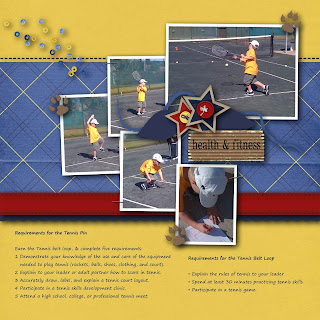
Over the next couple of weeks, I'm going to be posting about my boys and cub scouts. I am trying to get a book together of the times the boys spent in cub scouts. Why? Because it has been years and I have nothing. Sad but true. Lots of pictures, lots of stories and not one scrapbook of it. Until now. You have seen some of the pages before and I think it goes well with the previous page...
SP_EasyAsPieTemplate_BlogTemplateChallenge16
font: segoe script
color: #6b5a3b
AmyDane_AllThingsBlueAndGold

font: segoe script
color: #6b5a3b
AmyDane_AllThingsBlueAndGold
Along the way, I will throw in items that I find might be of interest. Like tools I have used and how many times I had to ask Tink how to do it! ;-) I hope you enjoy scrapping as much as I do!
Thursday, July 4, 2013
Happy July 4th
Trying to get back into the grove of posting every week day. Decided to do a quick (though it took a long time) page on what we did the last two years. One year I got the boys playing games, the year before I got everyone playing with the sparklers!
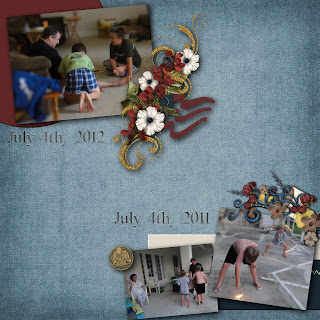
What did you do to celebrate the adoption of the Declaration of Independence this year?

APD_Templistic_MyGirl_tp2
andreagold_AmericanStory
andreagold_AmericanStory
Dan_DutyHonor_alpha
What did you do to celebrate the adoption of the Declaration of Independence this year?
Wednesday, July 3, 2013
How often to post stuff?
Like most people my life has ups and downs. With elementary children, sometimes it is hard to get over here and post. Sometimes it is hard to create scrapbook pages... I love to scrap... but it can be a challenge to find the time. I have gone weeks of just downloading stuff, buying stuff and not one page to show for it.
Here is what I did many weeks ago and never got it on the blog. I'm working on my clusters. I suck at it. Luckily, so many templates now adays have 'clusters' on their templates and it helps me figure out what I can do... and usually it turns out pretty decent. More to come as I get back into the routine! Hopefully I'll start posting stuff at least Monday through Friday. We'll see... it gives me a target and I'll have to have some pages done in order to do it!

Here is what I did many weeks ago and never got it on the blog. I'm working on my clusters. I suck at it. Luckily, so many templates now adays have 'clusters' on their templates and it helps me figure out what I can do... and usually it turns out pretty decent. More to come as I get back into the routine! Hopefully I'll start posting stuff at least Monday through Friday. We'll see... it gives me a target and I'll have to have some pages done in order to do it!

sp_easyaspietemplate_blogtemplatechallenge17
AmyDane_AllThingsBlueAndGold
NMSS_scoutingboys
Thursday, June 27, 2013
Don't Lose This - I'm Told
My sister was asking me if I remembered where or who had a post on handwriting fonts. Ahhhh I remember seeing something. I don't remember who or when. So we both went on the hunt. I found
Wishing Well Creations post on handwriting fonts.
She found
Trixie Scraps Designs post on handwriting fonts
Both have great stuff. And now... we just have to look at our posts and we'll find it again in six months... when one of us goes... do you remember where those handwriting fonts were we found!
Subscribe to:
Posts (Atom)
